
Google’s September 2026 Spam Update: What to Check
Key facts
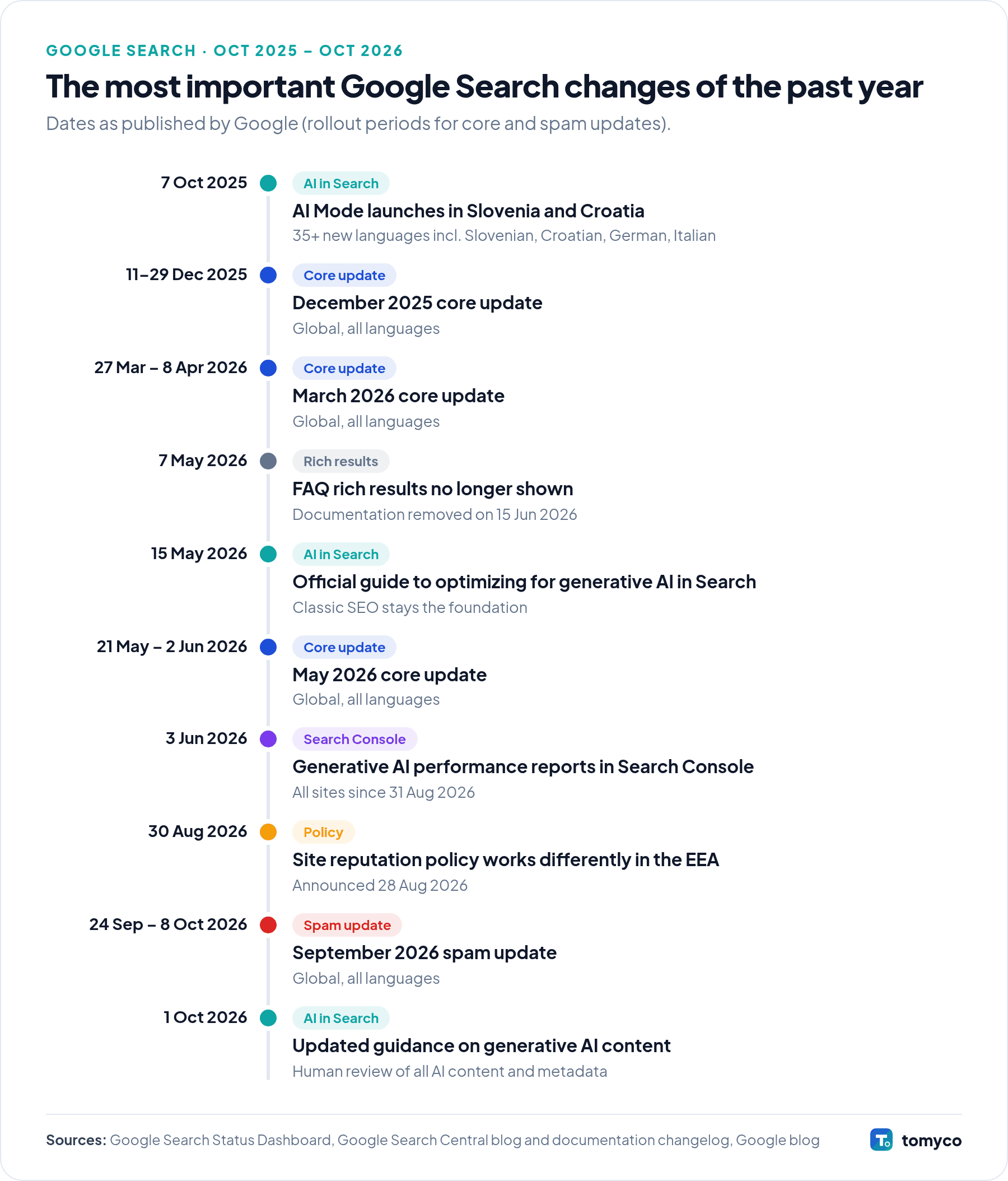
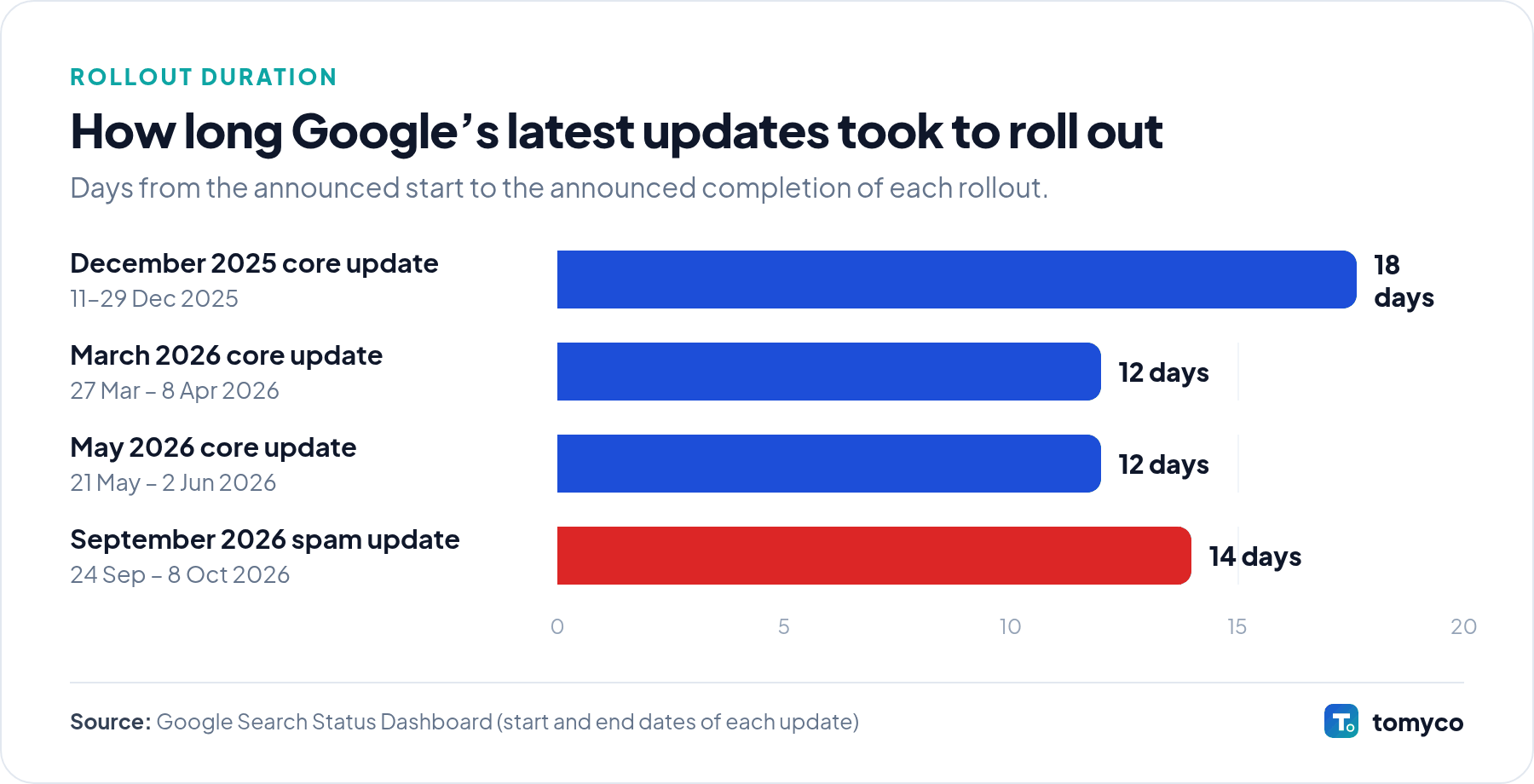
- Rollout: 24 September – 8 October 2026 (about two weeks; Google had said it “may take up to two weeks”)
- Scope: global, all languages
- Type: an update to Google’s spam-detection systems, not a core update
- In 2026: the fourth spam update of the year, after the March, June and August updates
Google rolled out an update to its spam detection systems. According to the Google Search Status Dashboard, the rollout started on 24 September 2026 and was completed on 8 October 2026.
What changed
The update applies globally and to all languages – including Slovenian, Croatian, German and Italian search results. Google does not publish the details of what each spam update targets. Its systems, including the AI-based SpamBrain, are continuously improved to detect sites that break the spam policies.
Why it matters for businesses
If your website lost traffic between 24 September and 8 October, check whether it breaks Google’s spam policies. Google says that sites affected by a spam update should review the policies and fix any problems; improvement can come once its automated systems learn over a period of months that the site complies. For link spam updates there is an important difference: if a site benefited from spammy links and those links are now ignored, the lost benefit cannot be regained by fixing the links.
What it means in Central and Eastern Europe
Spam updates are not limited to English. In smaller markets, a few sites with aggressive tactics – mass-produced city or product pages, machine-translated content, purchased links on unrelated sites – can dominate results for a long time, and updates like this one can change local rankings noticeably. If your competitors suddenly dropped or rose in Slovenian or Croatian results in early October, this update is a likely explanation.
Checklist: what to check now
- Compare organic traffic a week before 24 September with the weeks after 8 October in Search Console – separately for each country.
- Check Search Console for manual actions and security issues.
- Look for pages produced at scale with little added value (scaled content abuse), including machine-translated pages.
- Review your backlink profile and any paid or exchanged links that do not carry
rel="sponsored"orrel="nofollow". - If you host third-party content, check it against the site reputation abuse policy.
- Fix the causes, then give it time – avoid quick, large-scale changes based on guesses.
Official sources
Not sure how a Google update affects your website? Ask us for a review →